Substitute Request Approval Workflow
Can I manually approve substitute requests?
When an adorer requests a substitute, the Substitute Finder automatically starts sending substitute invitations as the adoration date approaches.
However, there are situations where you might want to manually approve substitute requests before the Substitute Finder starts:
- If your adoration schedule is generally full (having two adorers for every hour) and you want to manually approve only those substitute requests where an adorer is truly needed.
- If you want to bypass the Substitute Finder entirely so that your adorers are not sent substitute invitations, and instead, you send a weekly digest notification listing all of the urgent substitute requests.
Enabling the Approval Workflow
Enable this feature with the Enable substitute request approval workflow setting at Admin » Settings » Substitutes.
When enabled:
- New substitute requests remain in a queued state until an administrator or captain approves them.
- Administrators and Captains will be notified if they have the Substitute is requested admin notification enabled.
- No substitute invitations are sent for queued substitute requests unless they are approved or manually started.
- Open substitute requests (including queued ones) are displayed on the Dashboard page and can be claimed there.
Note: If the site is in Onboarding Mode, new substitute requests remain in a queued state until started manually for testing purposes, regardless of this setting.
Approving a Substitute Request
To approve a queued substitute request, visit Admin » Substitute Requests and click the Approve button. You can also click View on a substitute request to open a view where you can approve it.
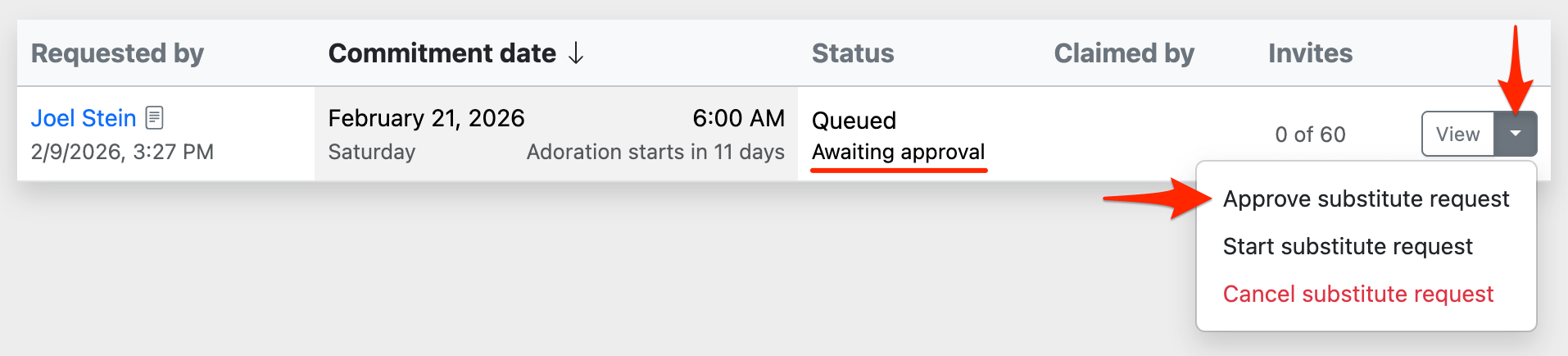
Once approved, the substitute request will automatically start sending substitute invitations when the adoration date is within the auto-start threshold (see below). Alternatively, you can manually start it right away by clicking the Start button.
If you decide that a substitute is not needed, you can close the substitute request instead, either because the adorer will attend after all, or because the hour has adequate coverage from other scheduled adorers.
Note: Approving a substitute request cannot be undone. If you approve a substitute request by mistake, you can pause it or close it.
Bypassing the Approval Workflow
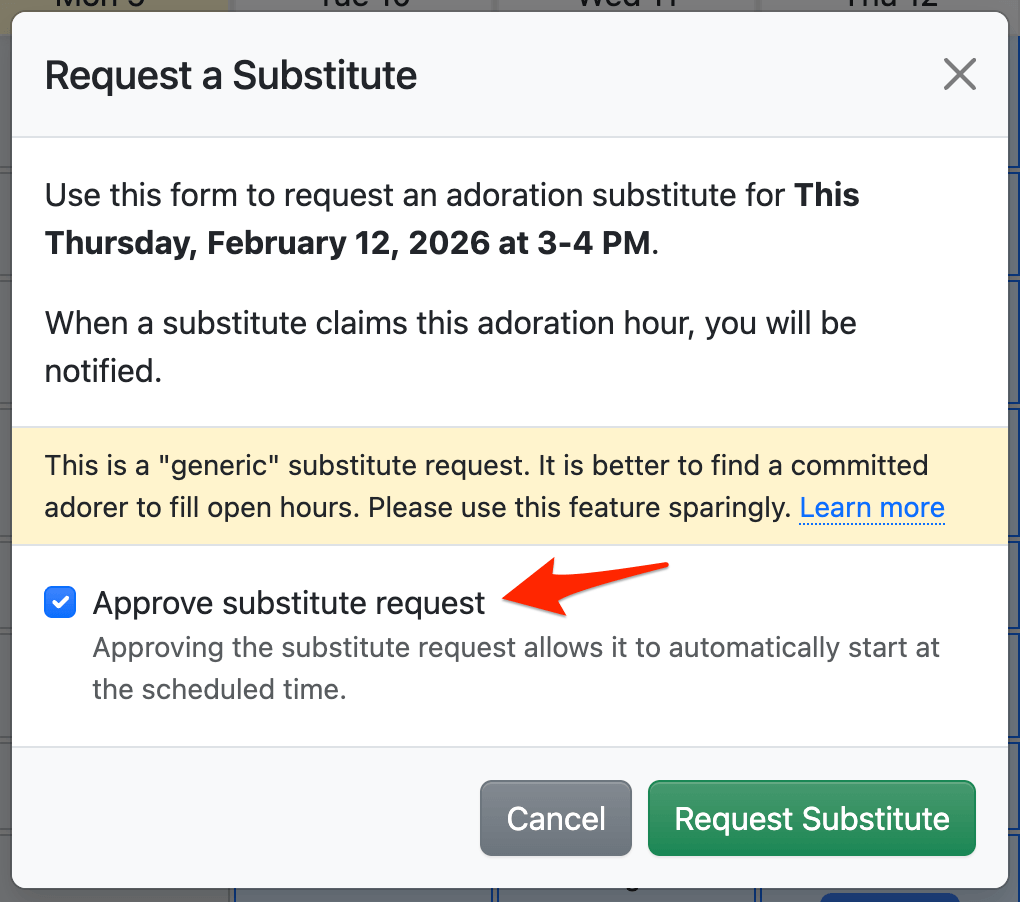
When an administrator or captain creates a substitute request (whether generic or on behalf of an adorer), they have the option to approve it at the same time by checking the Approve substitute request checkbox.
Auto-Start Threshold
Approved substitute requests will automatically start when the adoration date is close enough that an adorer can quickly respond YES or NO. This helps prevent overwhelming substitutes with invitations for dates in the distant future.
Customize this time frame with the Threshold to auto-start substitute requests field at Admin » Settings » Substitutes.
Manually Starting a Substitute Request
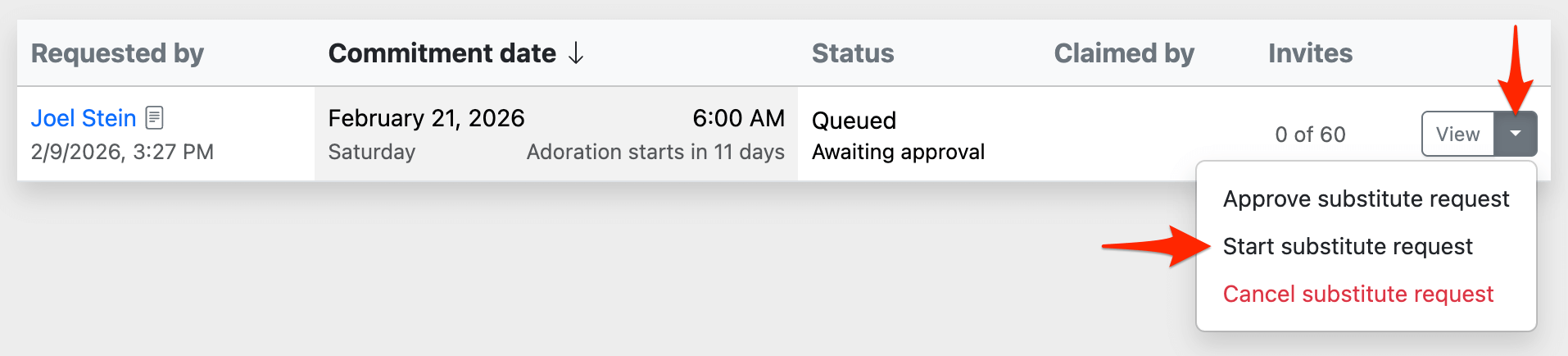
You can view the list of queued and approved substitute requests at Admin » Substitutes, where you can manually start them if desired.