Locations
What if we offer adoration at more than one location?
Some parishes offer adoration in more than one location, such as the chapel during the week and the church on Sundays. We Adore Him keeps them all on one schedule, with one roster of adorers and substitutes. Each hour on the schedule takes place at one location.
Manage your locations in the Locations card at Admin » Settings » Schedule.
Adding Locations
Click Add Location and fill in:
- Name: a short name, such as Chapel or Church. It appears on the Schedule page and in text messages, so keep it brief.
- Address: optional. Enter a full street address. It appears on the Help page and in the footer of your We Adore Him website.
- Door code: optional, for a location with its own door code. This field appears when the adorer approval workflow is enabled.
Assigning Hours to a Location
Once your locations are added, assign each hour to its corresponding location. When editing an hour, choose its Location in the Advanced settings section. Leave it blank to use the default location.
To assign many hours at once, such as every Sunday hour, use the bulk edit tool.
Adoration can also move for a single date, such as a feast day when adoration is offered in the church. Choose a Location in that date's custom settings.
What Adorers See
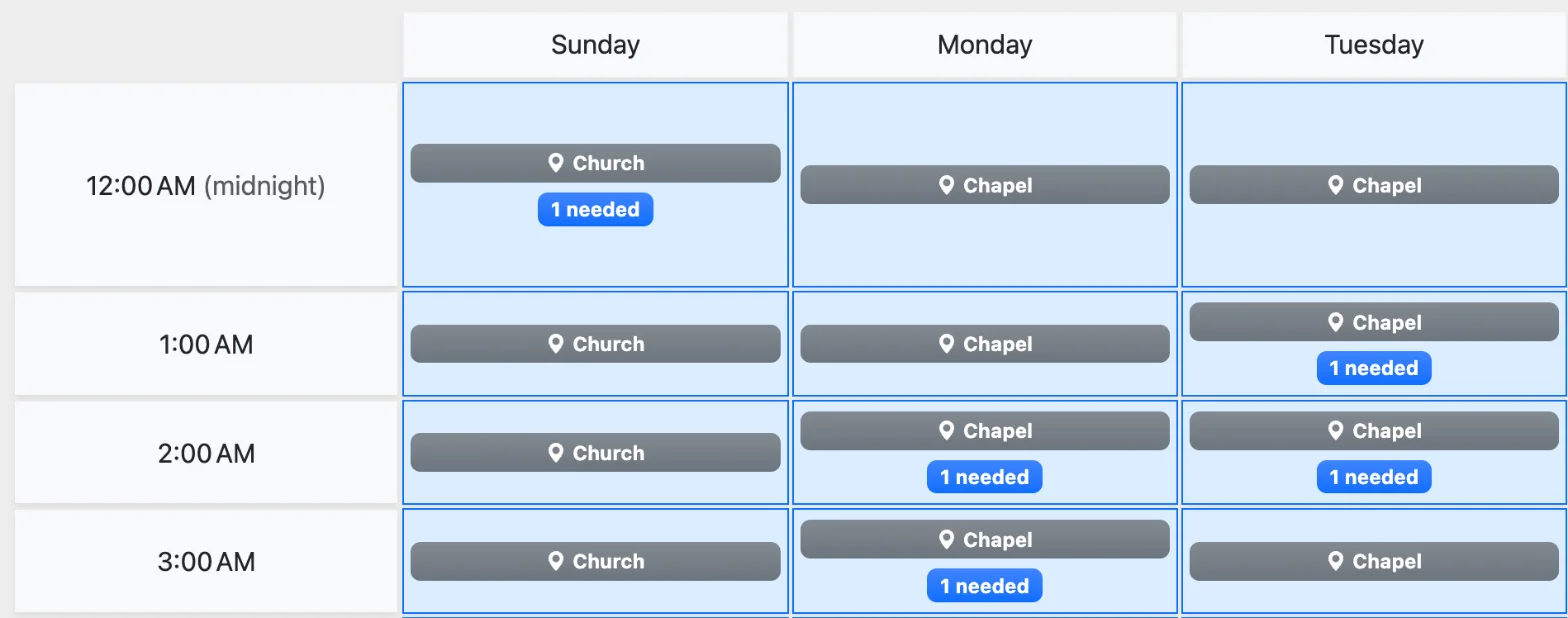
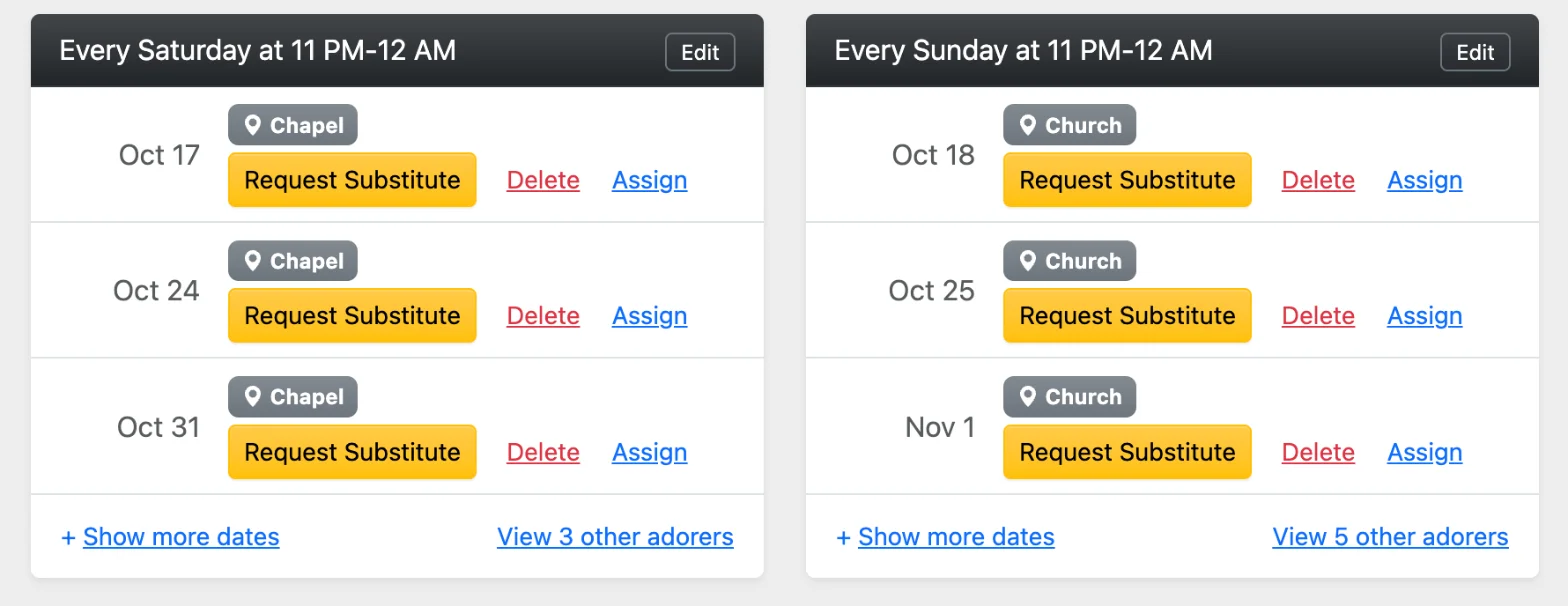
Once you have two or more locations, We Adore Him displays the location wherever an hour appears:
- Every hour on the Schedule, Calendar, and Dashboard pages shows its location.
- Commitment reminders, substitute invitations, and other messages about an hour include its location.
- The Help page and the footer of your website list each location, with a map link for each address.
- Received: Reminder: Your next adoration commitment is This Sunday, November 8, 2026 at 3-4 PM (Church). Need a substitute? Reply SUB.
Using a Kiosk at Each Location
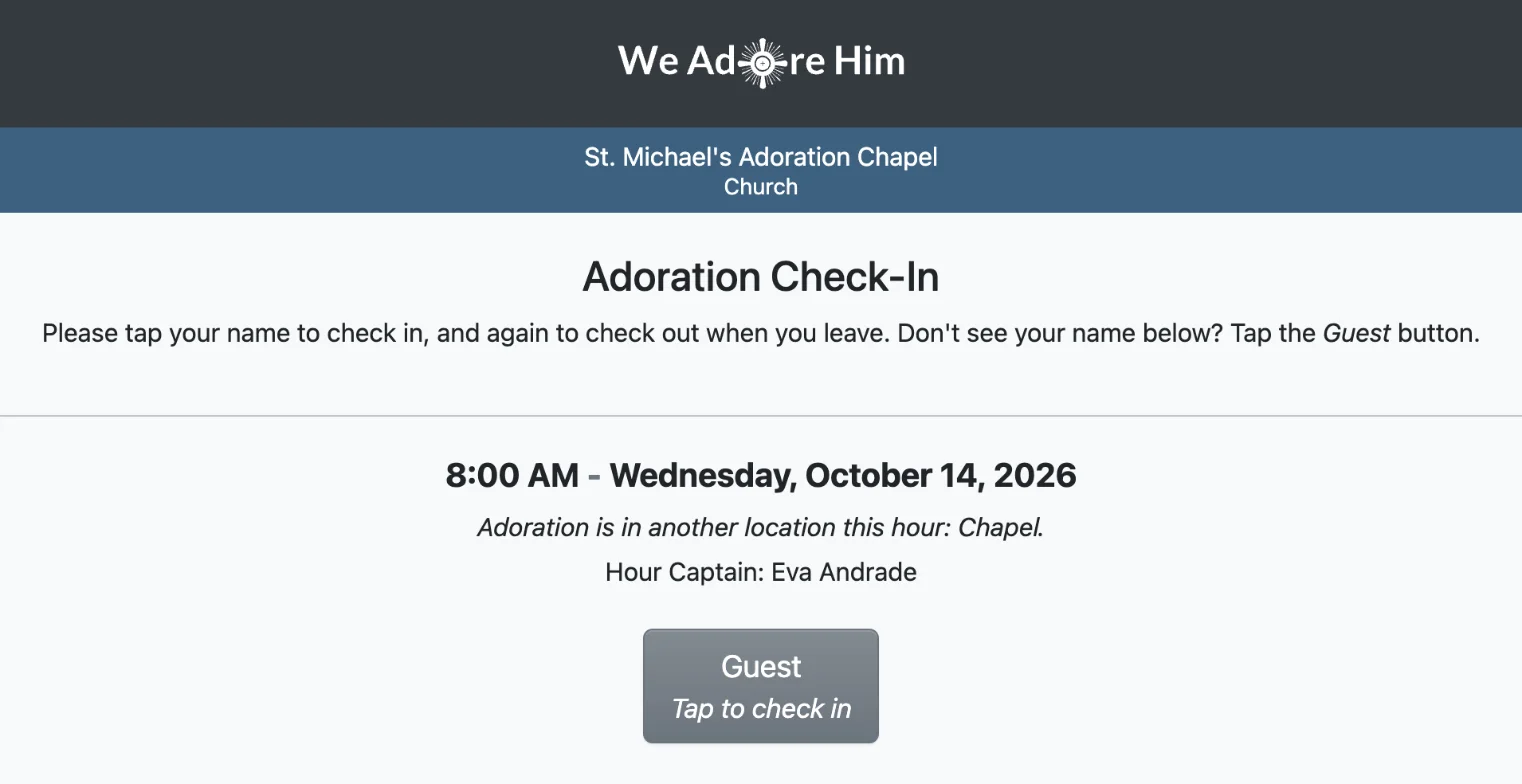
If you have an Adoration Check-In Kiosk at more than one location, each kiosk asks where it is installed after you log in. Tap the location, and from then on the kiosk shows the location beneath your parish's name and lists only its scheduled adorers. During an hour at another location, the kiosk displays where adoration is offered, and guests can still check in.
Printing Check-In Sheets for Each Location
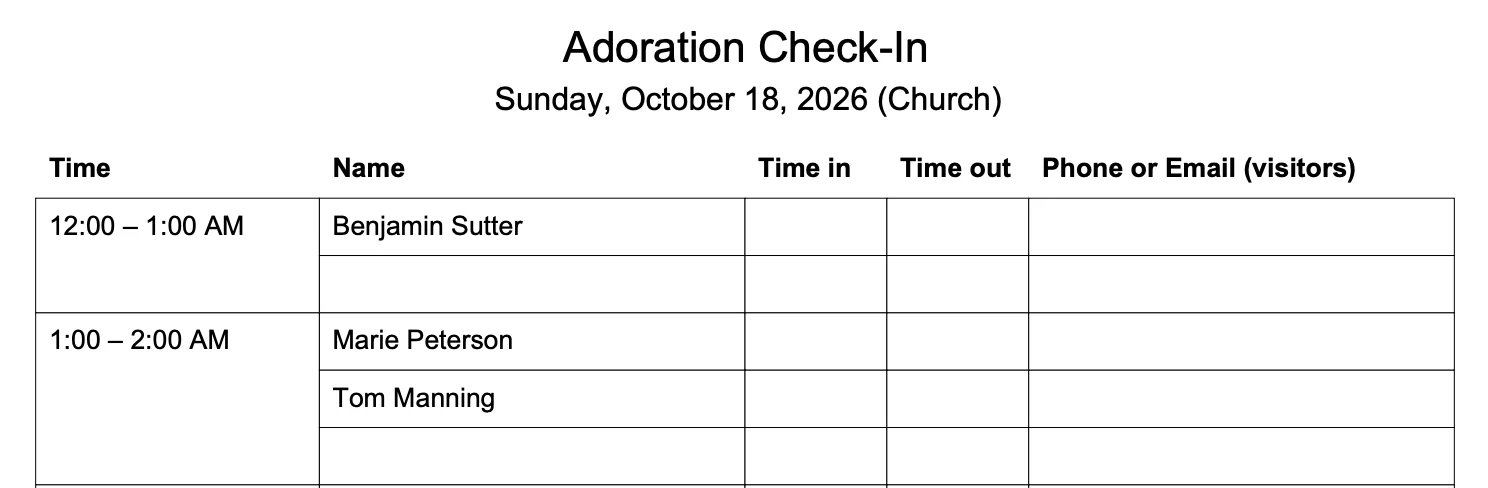
Paper check-in sheets print a separate set for each location, with the location displayed on each sheet. Use the Location filter to print only one.
Managing Multiple Schedules
This feature is designed for adoration that moves from place to place during the week, since each hour on the schedule can take place at only one location.
If you need multiple schedules running at the same hours, such as across a pastorate or a cluster of parishes, please get in touch with us. We'd love to hear about your situation and help you find the best setup.