Adorer Approval Workflow
How can I require an approval workflow for new adorers?
When adorers sign up for an adorer account, their registrations are automatically activated, and they can log in to your We Adore Him website.
If you want to vet adorers before granting them access to create adoration commitments, claim substitute requests, view other adorers' info, or if you notice an increase in spam registrations, consider using the Adorer Approval Workflow feature.
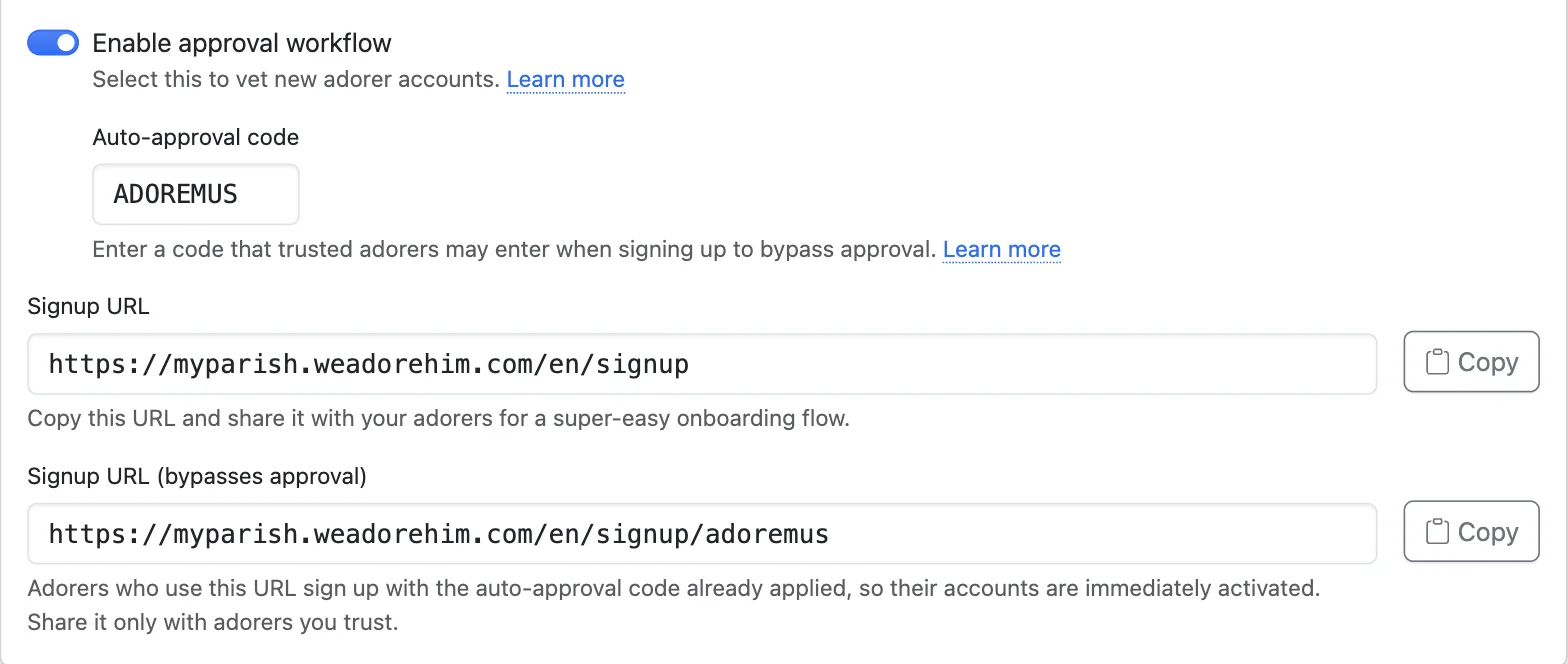
Enable this feature with the Enable approval workflow and Auto-approval code fields at Admin » Settings » Onboarding.
When the approval workflow is enabled, Admin » Settings » Onboarding shows two signup URLs:
- Share the Signup URL with the general public, such as on your website, social media, etc. Adorers who use it need approval.
- Share the Signup URL (bypasses approval) only with adorers you trust. The auto-approval code is applied automatically, so their accounts are activated immediately.
Likewise, Admin » Settings » QR Codes offers a second Signup QR Code (bypasses approval). Anyone who scans it joins without approval, so share it privately rather than printing it in your bulletin or posting it in the chapel.
The adorer signup form will include an Auto-approval code field when this feature is enabled, unless the code is already provided in the URL.
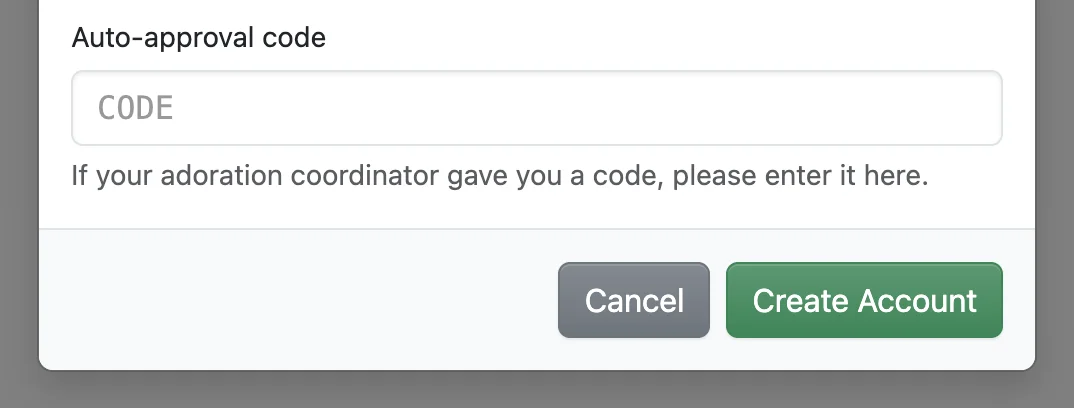
If an adorer leaves this field empty when signing up:
- Their account's status is set to Blocked.
- Administrators and captains are notified (if the New adorer registration needs approval admin notification is enabled on their account).
After an administrator or captain activates the blocked adorer's account:
- The adorer's account status is changed to Active.
- The welcome email and text message are sent to the adorer.
- Other administrators and captains are notified (if the New adorer registration needs approval admin notification is enabled on their account).
Finding Adorers Who Bypassed Approval
Anyone who enters the correct auto-approval code during onboarding will bypass administrator approval. You can always see who did, and which code they used:
- Administrators and captains are notified if the New adorer registered, no approval needed admin notification is enabled on their account.
- On the Admin » Adorers page, set the Auto-approval code filter to Signed up with an auto-approval code, or search for one particular code with the search keyword approval=ADOREMUS.
- An adorer's dashboard page shows the code next to the date they joined.
If your code is shared more widely than you intended, change the Auto-approval code field. The old code stops working immediately.