The Timeline page displays past visits and future commitments end to end, making gaps in your coverage easy to spot. When adorers check in with the Adoration Check-In Kiosk, an hour where none of them checked in is recorded as a no-show hour.
However, if the chapel's internet goes down, adorers can't check in on the kiosk.
Today, we added the kiosk status to the Admin » Timeline page. An outage stands out as a dark bar above the visits it affected. Before you follow up with adorers about a missed hour, a quick look shows whether the kiosk was working at the time.
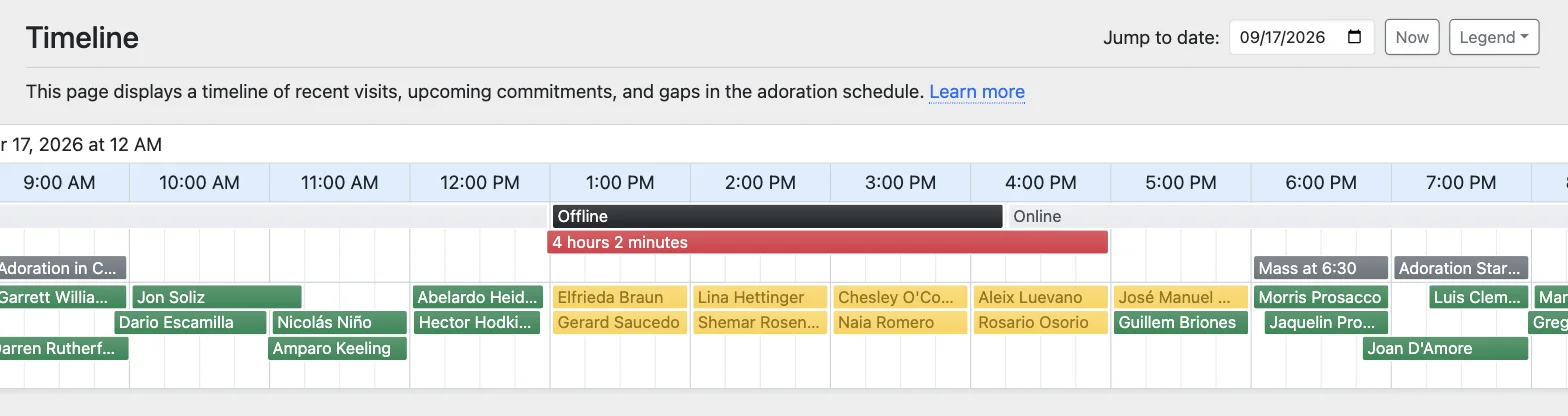
We also made the page bookmarkable, so you can now share a link to a particular day on the timeline.
Learn more about the Timeline page and what happens when the kiosk goes offline.