Timeline Page
How can I view a timeline of adoration coverage?
One essential goal in managing an adoration program is to ensure no gaps between visits. We want to make sure Jesus is never left unattended!
The Admin » Timeline page can help you quickly find those gaps.
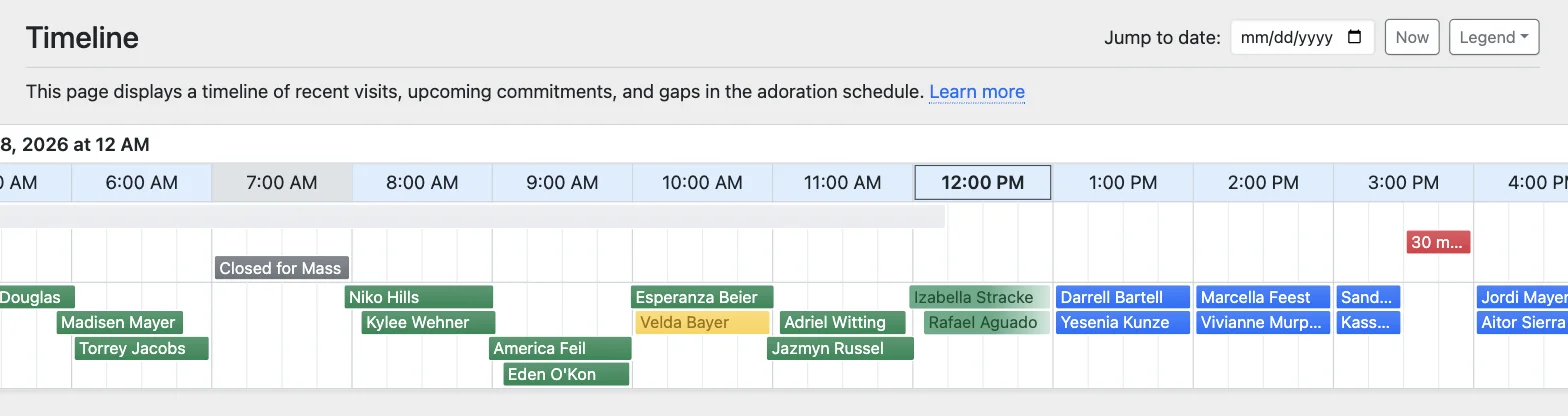
This page displays a snapshot of your adoration schedule with past visits, future commitments, and coverage gaps.
Scroll left to find attendance gaps, scroll right to see planning gaps, use the Jump to date field to open a particular day, and the Now button to return to the current hour.
Timeline Colors
The timeline displays different colors for hours, visits, and commitments. Click the Legend button to learn what each color means.
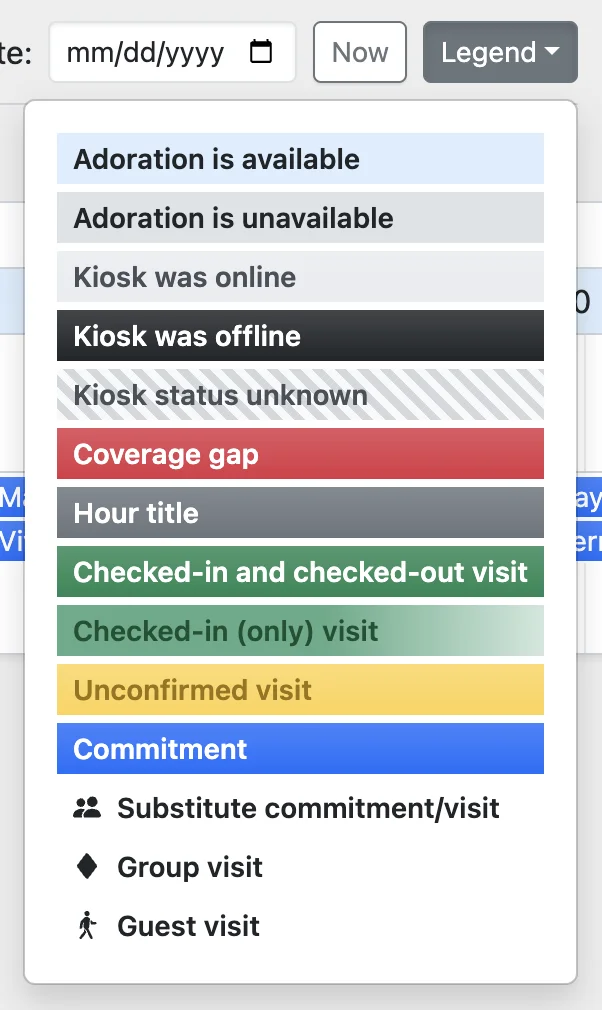
Kiosk Status
If the Adoration Check-In Kiosk is enabled, its online/offline status also appears on the timeline:
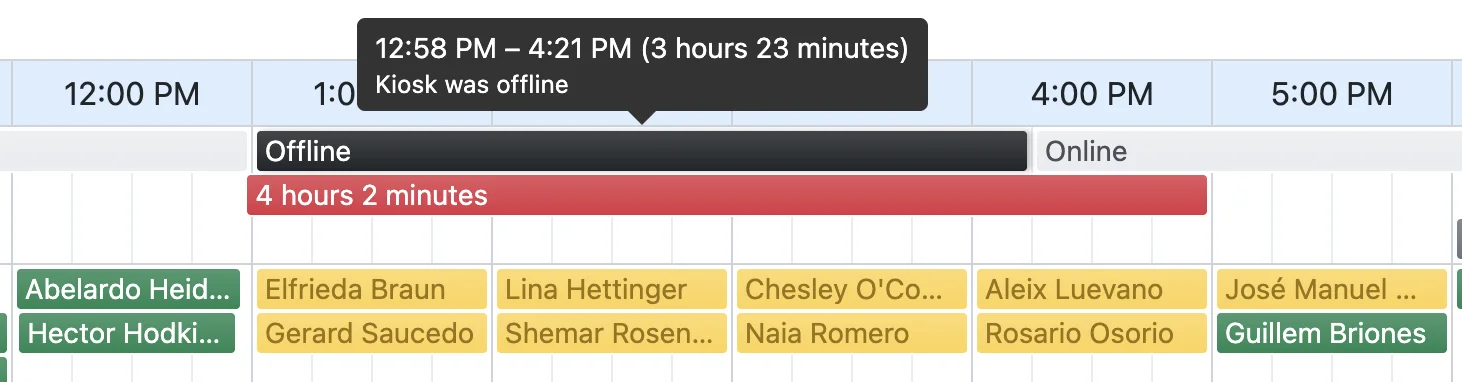
This is especially helpful when you see several unconfirmed visits. If the kiosk was offline, those adorers may have attended but been unable to check in.
Hours when the kiosk was offline are still recorded as no-show hours if none of the scheduled adorers checked in.
Gap Calculations
We Adore Him calculates the gaps between visits based on the settings at Admin » Settings.
For the best experience, we recommend the Adoration Check-In Kiosk (with check-out enabled). This provides detailed information about when each adorer checks in and out, making the gap calculations accurate and reliable.
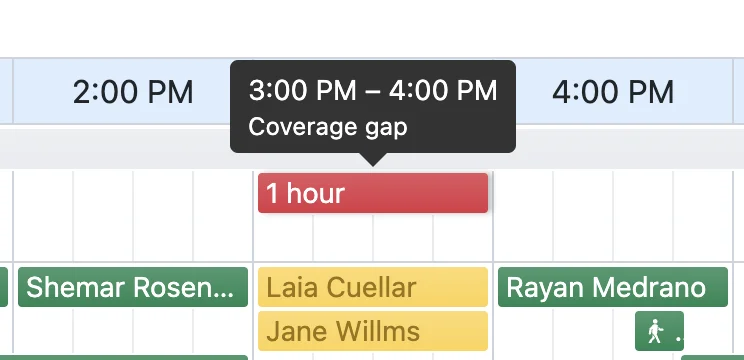
Here's how we calculate gaps:
- If the kiosk and check-out are enabled, then gaps appear where no visit exists that is checked in and out.
- If the kiosk is enabled, but check-out is disabled, then gaps appear where no visit exists that is at least checked in.
- If the kiosk is disabled, gaps appear where no scheduled visit exists.
- Accidental check-ins (a duration under 1 minute) are ignored in gap calculations.