Coming-Soon Hours
Can adorers make commitments for hours before they open?
When your parish wants to expand adoration to additional days and hours, mark those hours as Coming soon. Coming-soon hours appear on the schedule in a special style, and adorers can make commitments for them before they open, reserving their spot.
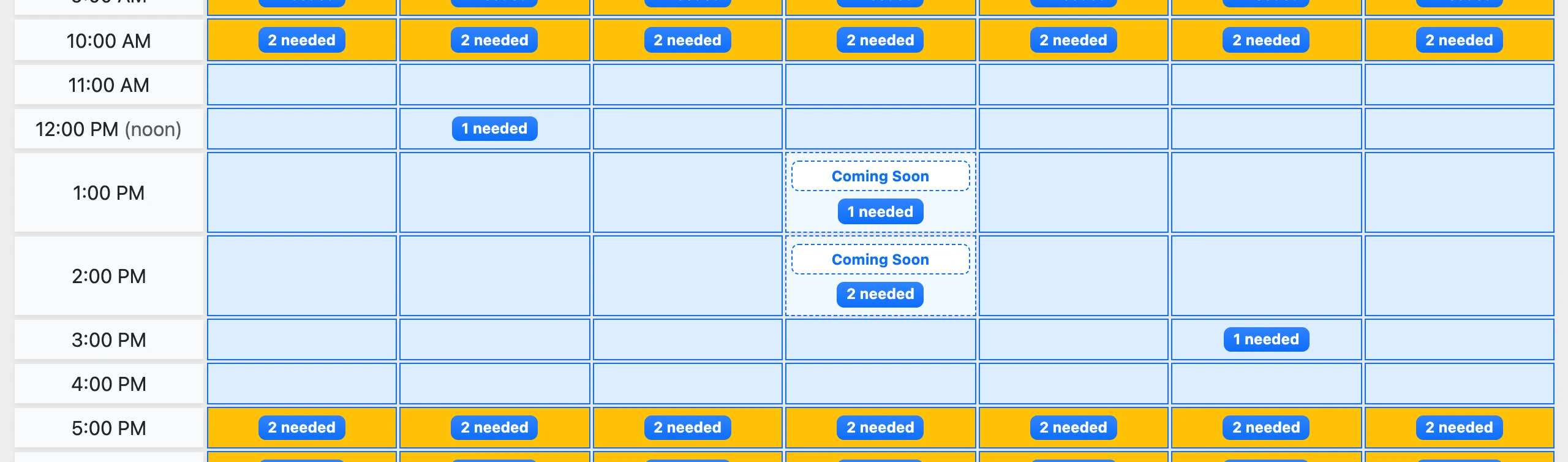
Marking Hours as Coming Soon
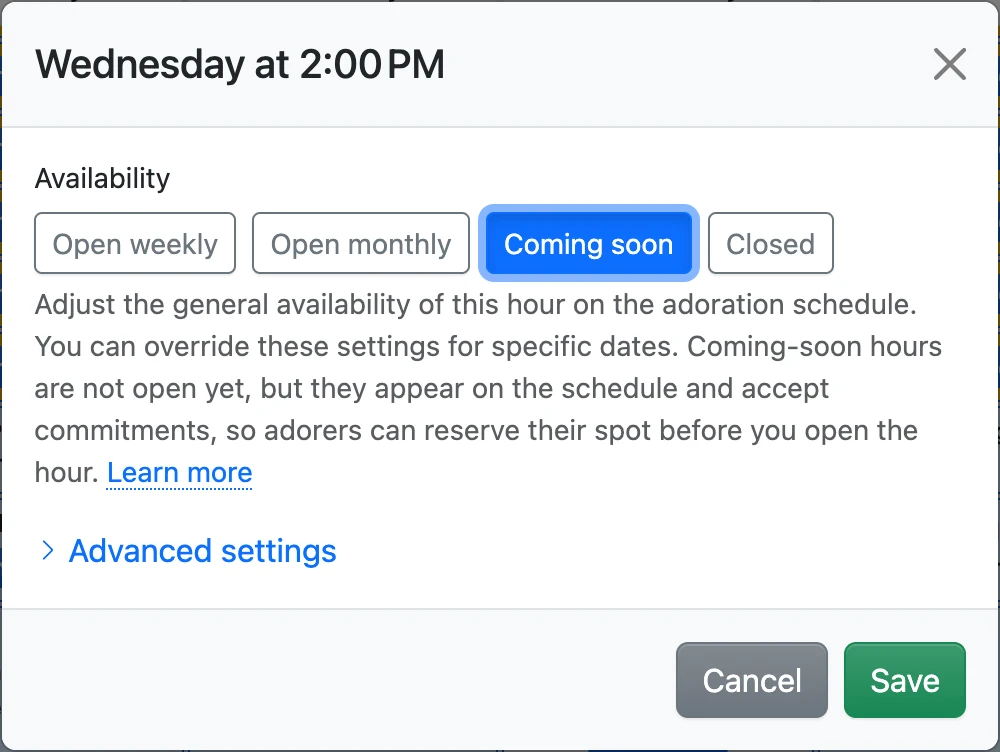
Edit an hour (or several hours at once) and choose the Coming soon availability. Coming-soon hours are always shown on the schedule, since their purpose is recruiting.
How Adorers Reserve Their Spot
Adorers make a commitment for a coming-soon hour exactly like an open hour. The commitment form explains that the hour is not open yet, and that an adoration coordinator will let them know when it opens. Until then, nothing else happens: no reminders are sent, the hour does not appear on the check-in kiosk, and substitute requests are not available.
Watching Your Progress
The schedule shows how many adorers each coming-soon hour still needs, based on its minimum adorers setting. When the count reaches zero, you have enough reserved adorers to open the hour. The maximum allowed adorers also applies, so an hour is never over-reserved.
Opening the Hour
When you are ready, edit the hour and change it to Open weekly or Open monthly. The reserved commitments come to life immediately: reminders, the kiosk, and substitute requests all begin working for the hour. After saving, you will see the list of reserved adorers with a Message These Adorers button, so you can announce the good news with a bulk message.
Recruiting for a Monthly Hour
Coming-soon hours recruit for a weekly frequency by default. To recruit for a monthly hour (like First Fridays), mark the hour as coming soon and set its allowed frequencies to only Monthly. Adorers will then reserve monthly commitments, and you can open the hour as Open monthly later.
The Embed Widget
Coming-soon hours also appear in the embed widget on your organization's website, so parishioners can discover and reserve them there, too.