One of the most powerful features in We Adore Him is the Substitute Finder, which automatically invites adorers when a substitute is needed. But sometimes you want to review a substitute request before invitations go out. That's where the approval workflow comes in—and we've just made it better.
How It Works
When the approval workflow is enabled, new substitute requests are queued for your review. Previously, queued substitute requests could only be started manually—which meant you'd have to remember to come back and start them at the right time, especially for substitute requests that are weeks or months away.
Now, when you review a queued substitute request, you have two clear paths:
Approve
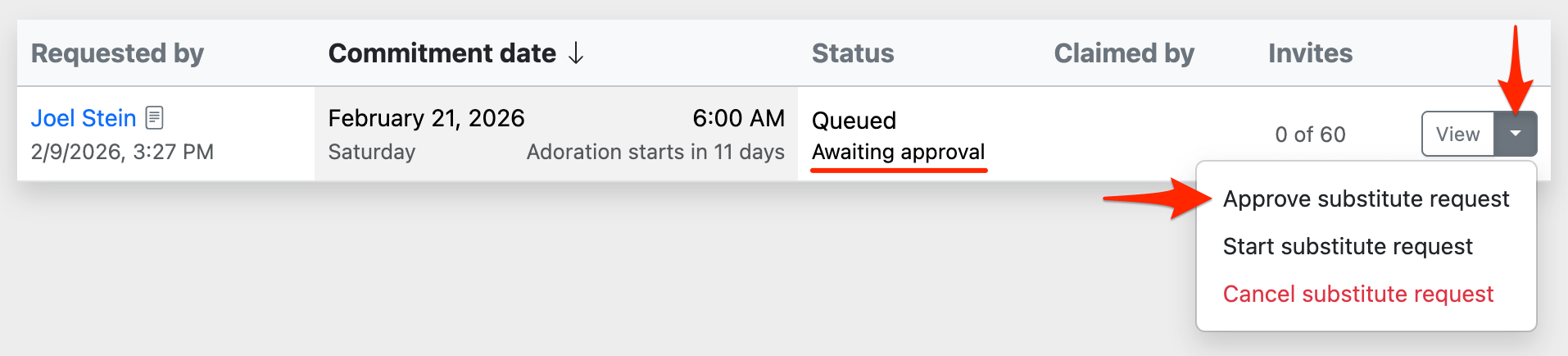
Click Approve on the Admin » Substitute Requests page to confirm that a substitute is needed. The Substitute Finder will automatically start sending invitations when the adoration date is close enough. Set it and forget it—We Adore Him handles the rest.
Cancel
If you decide a substitute isn't needed, simply cancel the substitute request. When canceling, you'll also be given the option to delete the commitment date—removing the adorer from the calendar in one step.
Approve at Creation
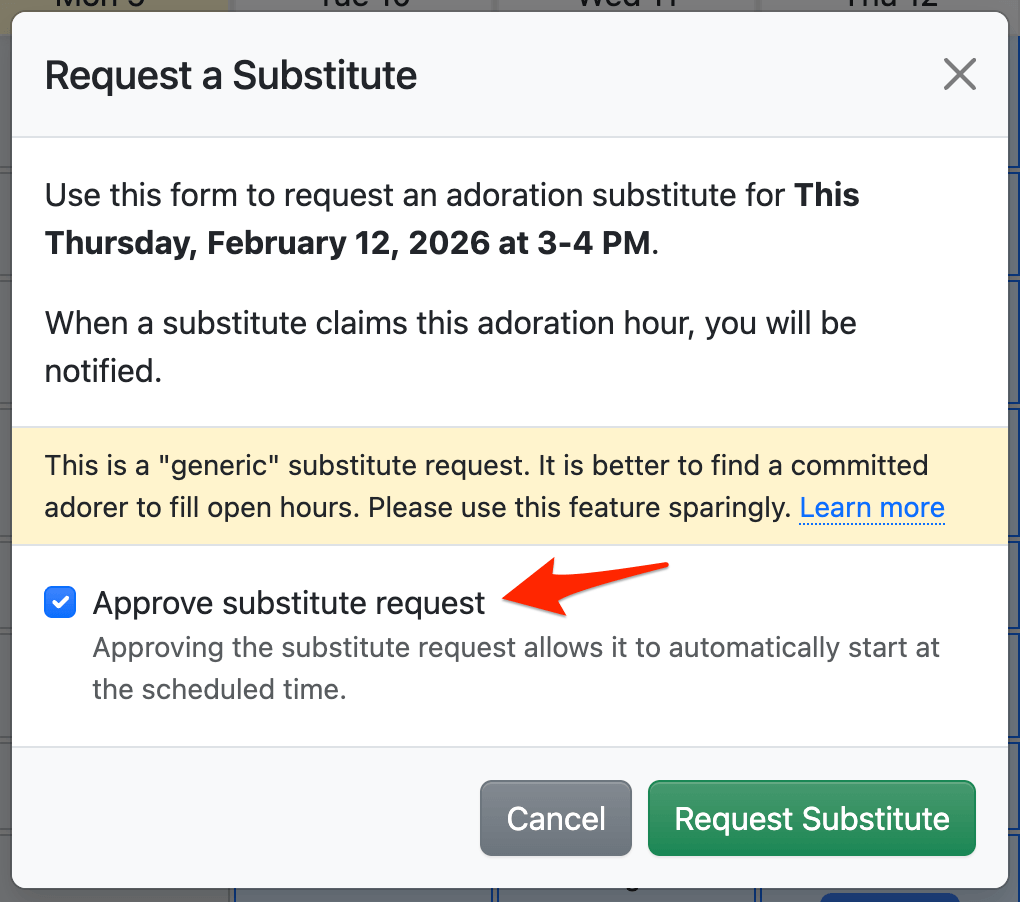
When an administrator or captain creates a substitute request, they can approve it right away using the Approve substitute request checkbox—no need to visit the Substitute Requests page later.
To use these features, enable the Enable substitute request approval workflow setting at Admin » Settings » Substitutes.
Learn more about the approval workflow. Enjoy! 🙏