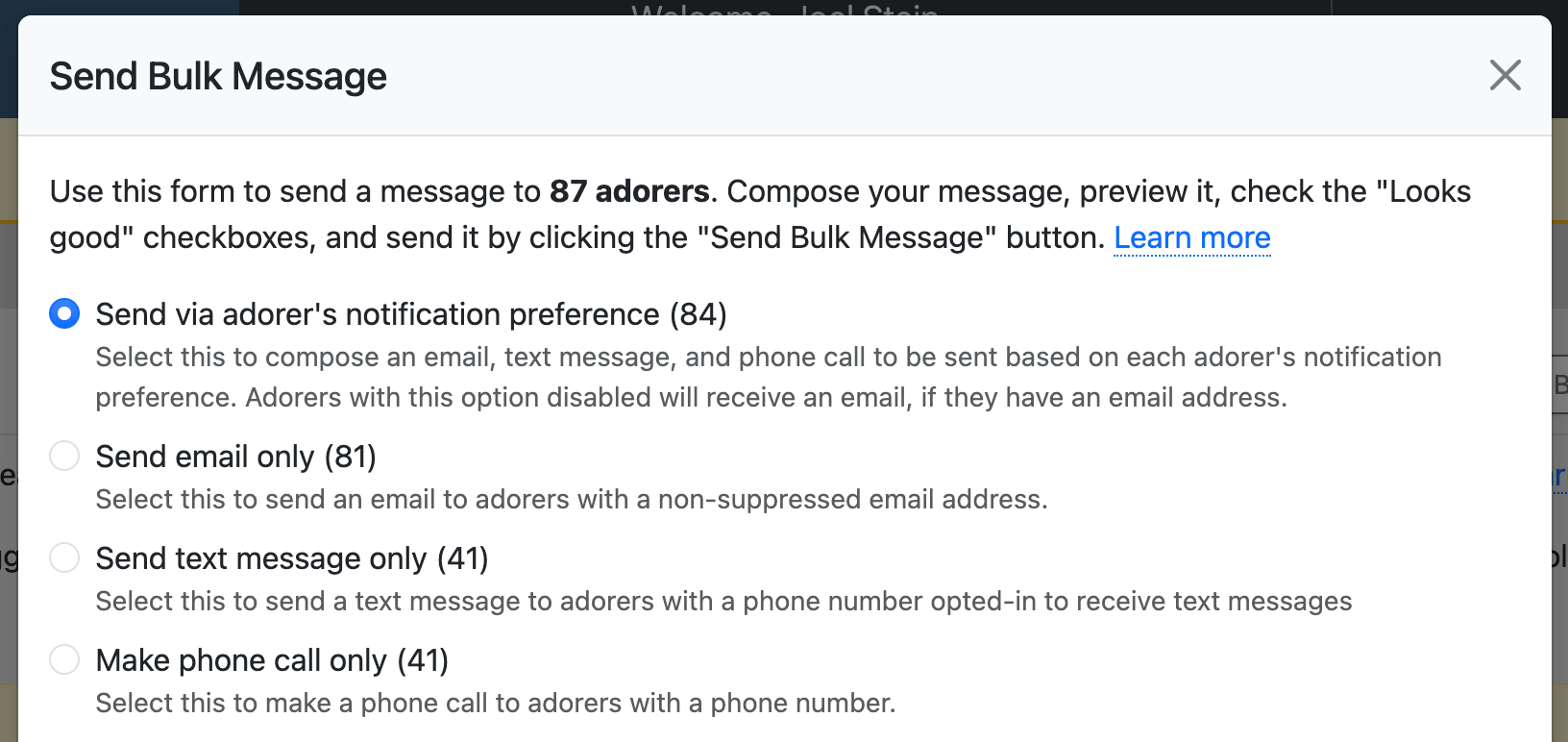
When sending a bulk message, you've always had the option to send via each adorer's preference or via email only. Now you have two more options: text message only and phone call only.
This is especially useful for urgent situations:
- Emergency weather closures — Reach adorers quickly by phone call, even if their preference is email
- Following up after an email — Already sent an email but want to make sure the message gets through? Send a text as well.
- Time-sensitive announcements — Text messages and phone calls are more likely to be seen immediately than emails
To use this feature, select adorers on the Admin » Adorers page and click Send Bulk Message. You'll see the new delivery options at the top of the form.
We also added a Texts filter on the Admin » Adorers page. Use it to find adorers who have opted in or out of text messages. This makes it easy to see who can receive texts before sending a bulk text message.
Learn more about sending bulk messages.
We hope these options give you more flexibility when communicating with your adorers! 📱