In We Adore Him, administrators and captains receive admin notifications when activity happens on the schedule, such as a new commitment, a substitute request, or a no-show hour. Until now, these hour-specific notifications were sent only to the people assigned to manage that hour. To watch over the whole schedule, you had to assign yourself to every hour, which also listed you as a contact on each one.
Now each of these notifications has its own scope. When you enable one on a person's account, choose Assigned hours to be notified only about the hours they manage, or All hours to be notified about every hour on the schedule. With All hours, an administrator can keep watch over the entire schedule without claiming a single hour.
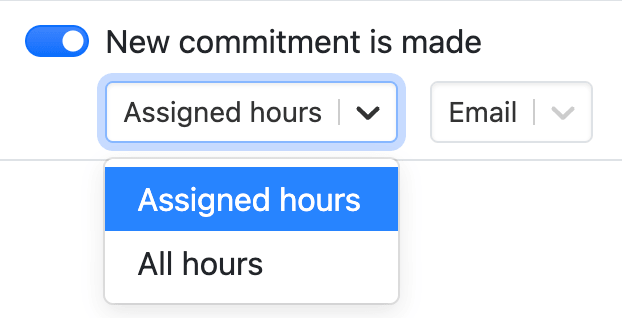
To set it up, edit any administrator or captain from Admin » Adorers and enable an admin notification. The scope and delivery method appear right beneath it.